
Print → Enhance → Convert → Finish
A label is not finished when it leaves the digital printer.
Printed rolls may still need lamination or varnish, decorative foil, contour cutting, matrix waste removal, slitting and final rewinding before they are ready for application or shipment. Understanding the complete digital label finishing process helps converters identify bottlenecks, choose the right equipment and build a workflow that remains efficient when order quantities, artwork and label shapes change.
What Is Digital Label Finishing?
Digital label finishing is the set of post-print processes used to turn a printed web into a usable finished label. Depending on the job, those operations can include lamination, varnishing, foil enhancement, digital or conventional die cutting, matrix stripping, slitting, inspection and rewinding. Not every label requires every step, and the sequence can change according to the equipment and product specification.
A typical roll-to-roll workflow can be viewed as a chain rather than a collection of independent machines. Each stage creates the input condition for the next stage.
Do not treat this diagram as a fixed machine sequence. Lamination, foil, varnish, inspection and cutting can be arranged differently depending on the label structure and equipment configuration. The production route should be defined from the required finished label backwards.
Production problems that appear during finishing often begin in the artwork file. A missing bleed, unsuitable cut path, incorrect barcode size or low-resolution graphic can travel through the entire production line before the problem becomes obvious.
Before printing, check the print file and the finishing file as a matched pair. Important items include artwork dimensions, bleed, fonts, image resolution, color settings, white-ink layers where required, registration marks, cutting contours and variable-data elements.
Adobe's official Preflight documentation describes checks for elements including fonts, colors, transparency and image resolution. For a label workflow, those print checks should be combined with finishing-specific checks such as the correct contour path and registration strategy.
The printing stage creates the visual image, but it also determines how reliably the web can be finished later. Ink or toner adhesion, material flatness, registration marks, web tension and print-to-cut alignment all influence downstream performance.
For short-run and multi-SKU production, a roll-to-roll digital label printer allows artwork changes through digital files without conventional plate preparation. This flexibility is most valuable when the finishing stage can change jobs efficiently as well.
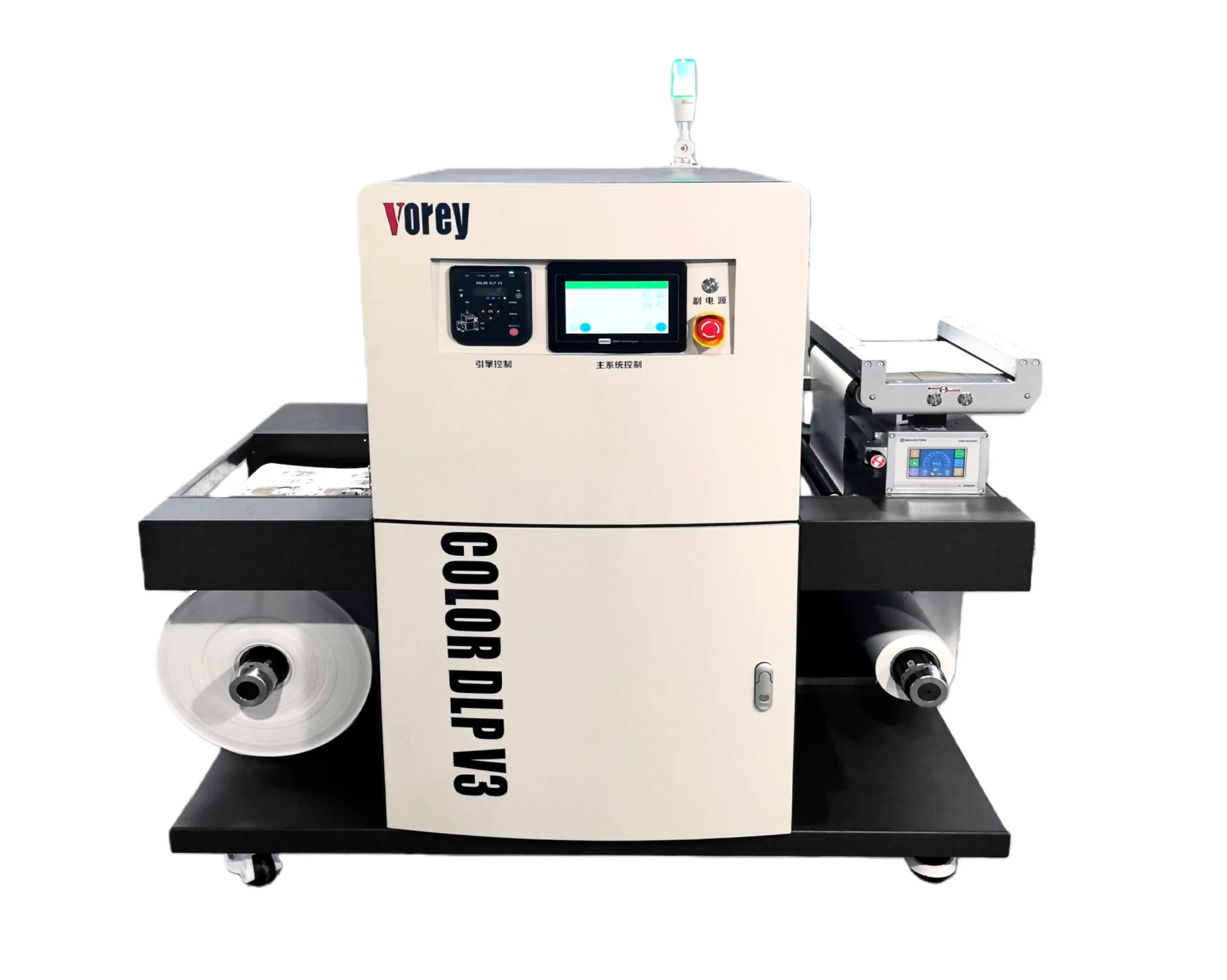
Digital roll printing is the beginning of the production chain. The printed web still needs to be converted into its required finished format.
Confirm that the actual paper or film is compatible with the printing technology and finishing process.
Registration marks or job identifiers must remain readable and positioned correctly for downstream cutting.
Test adhesion, curing or fusing before applying laminate, varnish, foil or aggressive finishing operations.
Some labels move directly from printing to cutting. Others need surface protection or decorative enhancement first.
| Process | Primary Purpose | Production Consideration |
|---|---|---|
| Lamination | Protect the printed surface and change gloss or tactile appearance | Check bond strength, added thickness and cutting behavior |
| Varnish | Add protection, gloss, matte or selective effects | Curing, adhesion and registration must remain stable |
| Digital Foil | Create metallic and premium decorative details | Test small details, coverage and foil adhesion on the actual printed surface |
For jobs requiring foil, spot varnish or raised decorative effects, a digital UV foil stamping and embellishment system can add premium effects without treating decoration as part of the printing press itself.
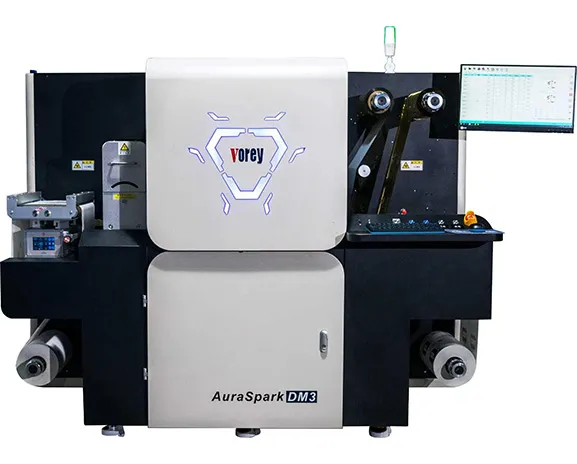
Value-Added Finishing
Metallic foil, raised varnish and other decorative areas can alter surface characteristics and sometimes affect later converting. Confirm the complete sequence with the real artwork rather than testing each process independently.
The Labels & Labeling Label Academy treats printing, substrates, coatings, laminating, die cutting, tooling and finishing as connected disciplines. That is a useful way to think about digital production: changing one operation can alter the requirements of the next.
After printing and any required surface treatment, the label needs to be separated from the surrounding face stock according to its intended geometry.
In roll-label production this is commonly a controlled kiss cut: the face stock and adhesive are cut while the release liner remains sufficiently intact to carry the labels through later operations and automatic application.
A digital label die cutter follows a digital cut file instead of requiring a dedicated conventional die for every new shape. This is particularly relevant to short runs and multi-SKU production where job geometry changes frequently.
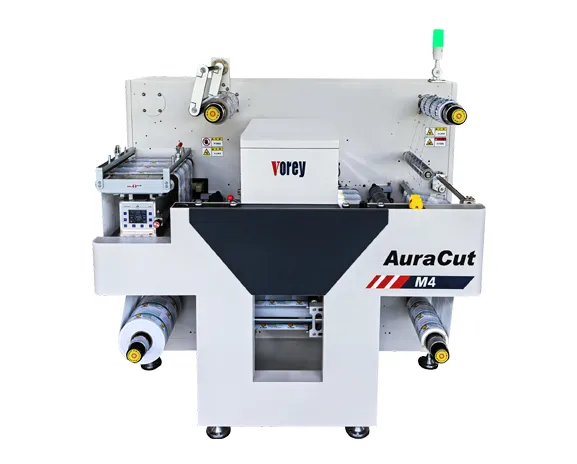
Digital cutting allows the contour file to change with the production job, helping preserve the flexibility created by digital printing.
Digital finishing does not refer to only one cutting technology. Blade systems physically follow the programmed contour, while digital laser label die cutters use a laser source and can provide another route for complex or changing cutting paths.
Neither technology should be selected by name alone. Test the actual facestock, adhesive, liner, artwork and desired cutting mode before choosing a process.
After kiss cutting, the unwanted face material surrounding the finished labels is normally stripped away. This waste web is generally called the matrix.
Matrix removal is sometimes treated as a minor secondary process, but it can become the real production bottleneck. A job can cut accurately and still fail at production speed if the waste web repeatedly tears.
Very small gaps between labels create thin waste strips that may tear more easily.
Acute corners and thin protrusions can create unstable stripping points.
Thin film, aggressive adhesive and liner strength can all change matrix-removal behavior.
Digital label presses often print several label lanes across one web. The wider web therefore needs to be divided into narrower finished rolls before delivery or automatic labeling.
Slitting is not simply “cutting the roll.” The process must control web tracking, slit position, edge quality and winding tension so the finished rolls remain stable.
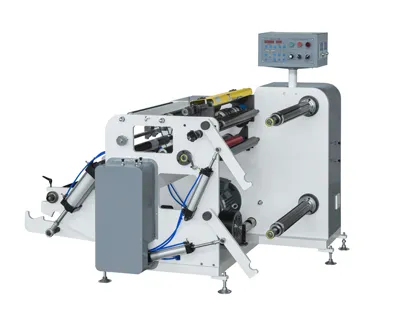
For dedicated high-speed width conversion, VOREY's label slitting machine range provides a separate solution from digital die cutting. This distinction is important: a rewinder handles the roll, while a slitter changes its width.
Integrated Slitting or Dedicated Slitter?
Integrated slitting can reduce handling for typical short-run work. A dedicated high-speed slitting machine may make more sense when large volumes of already-converted web must be split into several finished widths. Choose according to the production bottleneck rather than automatically adding more equipment.
The final web may be accurately printed, decorated, cut and slit, but it still needs to reach the customer in the correct roll format.
Rewinding controls finished roll diameter, core, roll orientation, winding direction and tension. These details can matter directly to the next automatic labeling machine, so final-roll specifications should be confirmed before production starts—not after finishing.
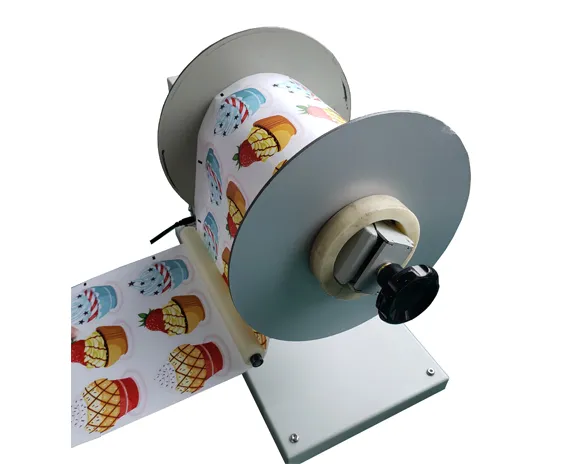
Roll Handling
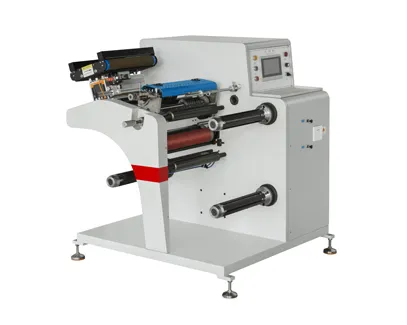
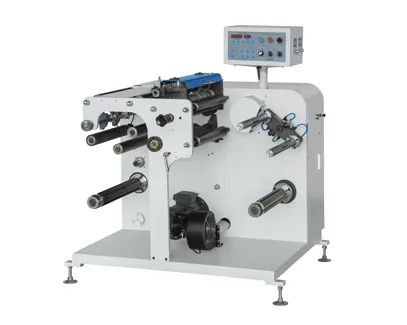
A rewinder or unwinder feeds or collects the web. A slitter divides a wider web into narrower widths. Some integrated finishing machines combine these operations, while other workflows use separate equipment.
View R230 Rewinder / UnwinderQuality inspection should not be saved for the final rewound roll. Detecting an error immediately after the operation that created it usually reduces wasted material and rework.
| Checkpoint | What to Inspect | Typical Failure |
|---|---|---|
| After Printing | Color, text, variable data, barcode, registration, image adhesion | Print defect continues through the entire roll |
| After Embellishment | Foil or varnish registration, adhesion, appearance | Decoration shifts or releases later |
| After Die Cutting | Cut-to-print position, cutting depth, liner condition | Labels lift or liner is damaged |
| After Slitting | Finished width, edge quality, tracking | Finished rolls vary in width |
| After Rewinding | Roll tension, direction, diameter, quantity, core | Roll cannot run properly on application equipment |
For labels carrying GS1 barcodes, visual appearance alone is not enough. GS1 recommends evaluating printed barcode quality with an appropriate compliant verifier. See GS1's barcode print-quality guidance when barcode performance is part of the finished-label specification.
Workflow A
A basic short-run paper or film label may follow a relatively compact route:
Artwork → Digital Print → Lamination if required → Digital Die Cut → Matrix Removal → Slit → Rewind
Workflow B
A cosmetics, beverage or promotional label may add another production stage:
Artwork → Digital Print → Spot UV / Foil → Die Cut → Matrix Removal → Slit → Inspect → Rewind
The important point is not which workflow looks more advanced. It is whether every stage adds something required by the customer's finished-label specification.
There are two broad production philosophies. One integrates several operations into one finishing system; the other separates specialized operations across different machines.
| Factor | Integrated Finishing | Separate Equipment |
|---|---|---|
| Material handling | Fewer separate roll transfers | More roll movement between processes |
| Scheduling | Processes move together | Each machine can be scheduled independently |
| Short-run work | Can reduce repeated setup and handling | May require more job movement |
| Specialized high-volume stage | One stage may limit total line speed | Dedicated equipment can optimize that process |
One of the most important ideas in label production is that the highest specification on one machine does not equal the throughput of the full line.
A printer may run quickly, but a complex contour may slow cutting. Cutting may be fast, but a weak matrix can limit waste stripping. Slitting may be very fast, but frequent roll changes can reduce effective output.
Measure Finished Good Rolls per Shift — Not Only Machine Speed
When comparing digital label solutions, include setup time, job changes, material loading, matrix breaks, roll changes, inspection, cleaning and operator intervention. The most productive system is the one that converts more saleable jobs with less interruption.
A digital label finisher is equipment used after digital printing to perform converting operations such as lamination, digital cutting, matrix removal, slitting and rewinding. The exact combination of functions varies by machine.
The printed roll may be laminated or decorated, then die cut, stripped of matrix waste, slit to the required width, inspected and rewound. Not every job requires every operation.
No. Lamination is used when the job requires additional surface protection or a particular appearance. Some printed labels can proceed directly to cutting and converting.
Matrix removal strips the unwanted face material surrounding the die-cut labels while the finished labels remain on the release liner.
Slitting changes web width by cutting a wider roll into narrower lanes. Rewinding collects or transfers the web into a finished roll and controls factors such as tension, diameter and winding direction.
Some finishing systems integrate several converting operations, but printing and value-added decoration may still use separate equipment. The correct configuration depends on order length, web width, required effects, job-change frequency and target output.
Test the real material, printed artwork, cutting geometry, laminate or foil if applicable, matrix removal, slit width and finished roll specification. A successful cut alone does not prove that the complete workflow is production-ready.
There is no single answer. Complex cutting paths, unstable matrix stripping, frequent job changes, manual roll handling or a specialized embellishment process can each become the bottleneck. Evaluate complete job cycle time rather than only maximum machine speed.
Efficient digital label production depends on how well printing, embellishment, cutting, waste removal, slitting and rewinding work together.
A faster printer does not solve an unstable matrix. A precise cutter does not solve an incorrect artwork file. A high-speed slitter does not solve poor finished-roll tension.
Build the workflow around the final label specification, then select each process and machine according to real substrates, typical order lengths, SKU frequency, required effects and finished-roll requirements.
Build Your Workflow
Send VOREY your label material, roll width, artwork, required decoration, label dimensions, cutting method, finished-roll specification and expected order volume. The team can review the complete process from printing through finishing instead of recommending equipment in isolation.
Discuss Your Label Finishing Workflow

 0574-87476008
 English