
Quick answer: Digital printing is generally better suited to short-run digital labels, customized orders, multiple SKUs and variable data because it does not require a conventional printing plate for every design. Flexographic printing is usually more competitive for stable, repetitive and high-volume label production. The right choice depends on total job cost, changeover frequency, substrate requirements, print quality and finishing needs—not run length alone.
Choosing between digital label printing and flexographic printing affects setup cost, turnaround time, artwork flexibility, inventory and the number of jobs a converter can process. A 50,000-label order made from one repeated design is very different from a 50,000-label order divided across 10 or 100 SKUs. The total quantity may be identical, but the number of files, changeovers and production setups is not.
This comparison is intended for label converters, print shops, packaging suppliers and manufacturers evaluating the most practical production method for short runs, custom labels, seasonal products and frequently changing artwork.
Short-run digital labels are labels produced in relatively small or frequently changing batches using a digital printing workflow. Instead of manufacturing and mounting a conventional plate for every design, the printer receives artwork directly from a digital file. This makes short-run label printing useful when an order contains multiple SKUs, regional versions, variable information, prototypes or time-sensitive artwork changes.
“Short run” does not have one universal quantity threshold. A job should be evaluated according to the number of labels per design, the number of SKUs, plate and setup requirements, material waste, finishing steps and delivery schedule. A higher total quantity can still behave like a short-run job when it is divided into many small versions.
| Production Situation | Likely Starting Point | Reason to Evaluate |
|---|---|---|
| Many SKUs with small quantities per design | Digital printing | Fast file changes and no conventional plate for every version |
| One stable design produced repeatedly at high volume | Flexographic printing | Setup costs can be distributed across a long, repetitive run |
| Mixed portfolio of short and long jobs | Hybrid workflow | Jobs can be routed to the technology that best matches each order |
Digital Label PrintingDigital label printing transfers artwork from a digital file to label material without requiring a conventional printing plate for each design. Depending on the system, the imaging technology may use toner, inkjet or another digital process. A modern digital label printer can support quick file changes, customized designs, multiple SKUs and variable information. Printed rolls normally continue to cutting and finishing before delivery. | Flexographic Label PrintingFlexographic printing uses flexible relief plates mounted on rotating cylinders to transfer ink to a substrate. Each artwork or color configuration may require plate preparation, mounting and press setup. Once a stable job is prepared, flexographic equipment can be highly productive for long, repetitive runs. The Flexographic Technical Association provides industry education and technical resources for flexographic and package printing professionals. |
| Comparison Factor | Digital Label Printing | Flexographic Printing |
|---|---|---|
| Printing plates | Normally not required for each design | Normally required in a conventional workflow |
| Initial job setup | Digital file preparation and machine setup | Plate production, mounting, ink and press setup may be required |
| Short runs | Strong flexibility for smaller, changing batches | Setup cost can represent a larger share of a small job |
| Long repeat runs | Suitability depends on equipment, material and job economics | Often competitive for stable, repetitive volumes |
| SKU and artwork changes | Files can be changed without creating a new conventional plate | New artwork may require additional plates and setup |
| Variable data | Suitable for changing text, codes, numbers and graphics when supported | More limited when the image is fixed on a physical plate |
| Setup material waste | Can be lower for suitable digital workflows | Depends on registration, color setup and press configuration |
| Inventory strategy | Supports print-on-demand and smaller replenishment batches | Often suited to planned bulk production |
| Finishing | Usually followed by digital or conventional finishing | May use inline or offline finishing |
| Typical applications | Custom labels, prototypes, multiple SKUs, seasonal and variable-data work | Stable artwork and repetitive high-volume production |
1. No Conventional Plate for Every DesignRemoving plate production from suitable jobs reduces prepress steps and makes smaller batches more practical when artwork changes frequently. | 2. Faster SKU ChangeoversProduct names, languages, colors and promotional versions can often be changed through the artwork file instead of a new set of plates. |
3. Variable InformationCompatible systems can produce changing QR codes, barcodes, serial numbers, batch data, text or graphics within the same production workflow. | 4. Print-on-Demand InventorySmaller replenishment batches can reduce the risk of holding obsolete labels when regulations, ingredients, promotions or packaging designs change. |
These advantages are most valuable when the converter receives many smaller jobs rather than a few long, repetitive runs. Digital printing is not automatically the cheapest method for every order; its value comes from matching production flexibility to the actual job mix.
Comparing only the printing speed or consumable price can lead to the wrong conclusion. The calculation should include every cost required to move an order from approved artwork to a finished label roll.
Total Job Cost = Prepress & Plates + Setup Labor + Setup Waste + Printing Consumables + Production Time + Changeovers + Finishing + Inventory
| Cost Element | What to Measure | Why It Matters |
|---|---|---|
| Prepress and plates | Files, separations, plates and mounting for each design | Many SKUs can multiply preparation requirements |
| Changeover time | Minutes and labor required between jobs | Frequent changes can reduce productive press time |
| Setup waste | Material consumed before acceptable production begins | Waste has greater impact on small quantities |
| Printing consumables | Ink, toner, coatings and maintenance items | The cost structure differs by machine and coverage |
| Finishing | Lamination, varnish, foil, cutting, waste removal, slitting and rewinding | Printing speed alone does not determine finished-label output |
| Inventory | Storage, obsolete stock and reprints after artwork changes | Larger batches may lower unit cost but increase inventory exposure |
Total annual volume should not be evaluated without SKU count. Consider three ways to divide the same 50,000-label total:
| Order Structure | Production Impact | Technology to Evaluate First |
|---|---|---|
| 1 design × 50,000 labels | One stable setup and a long repetitive run | Flexographic printing may be highly competitive |
| 10 designs × 5,000 labels | Ten artwork versions and multiple changeovers | Compare digital and flexographic total job cost |
| 100 designs × 500 labels | Very high file variety with small quantities per SKU | Digital printing often offers stronger workflow flexibility |
This example is a workflow comparison, not a fixed break-even rule. Actual costs depend on the printing system, material, ink or toner coverage, labor, plate prices, waste and finishing configuration.
A compatible digital workflow can change selected elements from one label to the next without replacing a physical printing plate. Depending on the printer, software and production setup, variable elements may include:
Serial and sequential numbers
QR codes and barcodes
Batch, lot and date information
Regional languages and regulatory text
Personalized text, promotions or graphics
These applications can support identification, traceability, promotions and connected packaging. For barcode projects, converters should confirm data structure, print quality and verification requirements. GS1 explains how next-generation QR codes can carry product information and connect physical packaging with digital content.
Printing is only one stage of finished-label production. A fast printer paired with a slow or inflexible finishing process can create a production bottleneck. A typical short-run workflow may include the following stages:
| Stage | Process | Purpose |
|---|---|---|
| 01 | Digital label printing | Transfer approved artwork to paper or film label stock |
| 02 | Digital embellishment | Add suitable spot varnish, foil or decorative effects when required |
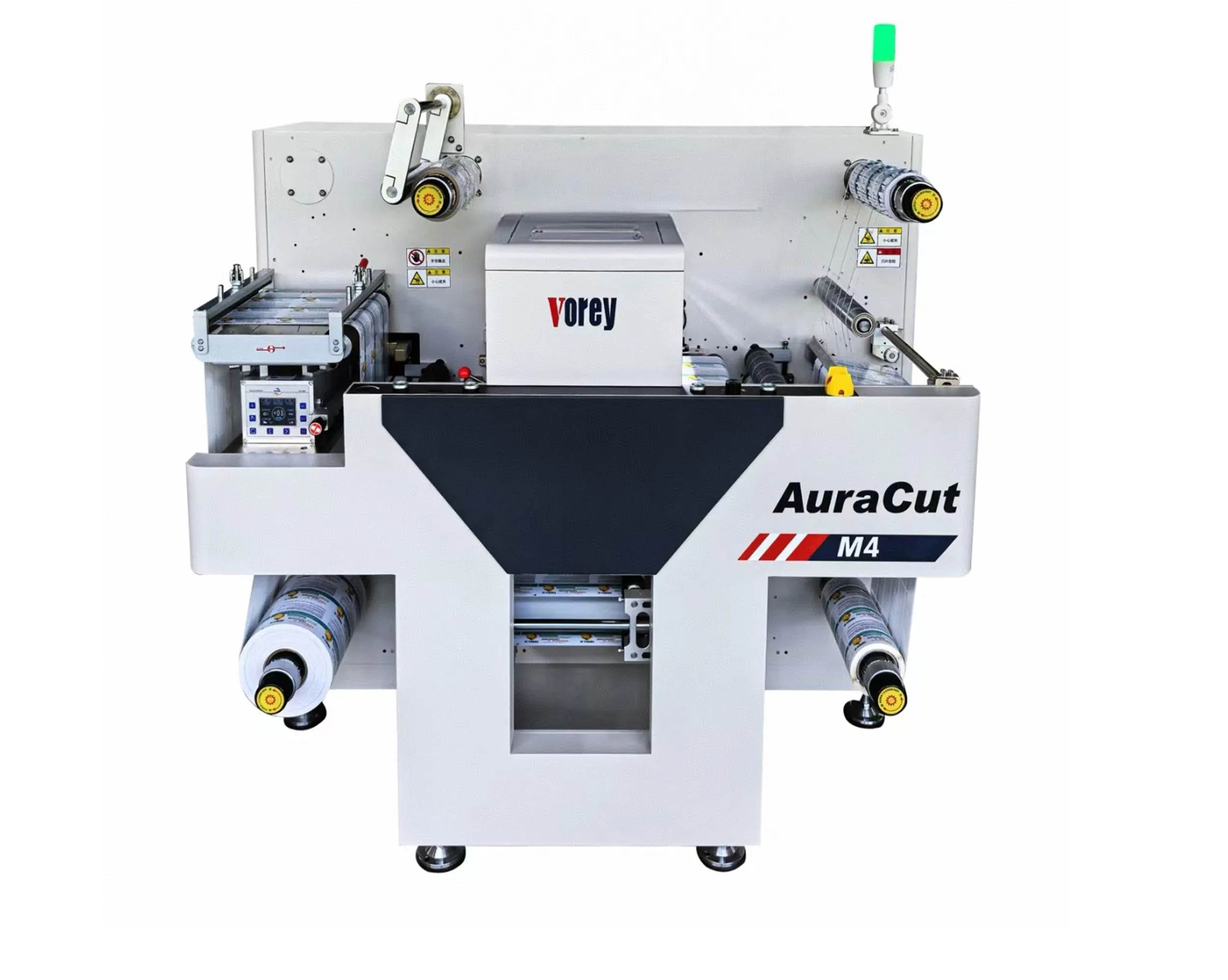
| 03 | Digital label die cutting | Cut circles, rectangles and custom contours from digital cut files |
| 04 | Matrix removal | Remove surrounding waste material after cutting |
| 05 | Slitting and rewinding | Convert the finished web into narrower rolls for delivery or application |
| Choose Digital First When | Choose Flexo First When | Consider a Hybrid Workflow When |
|---|---|---|
|
|
|
Equipment selection should be based on the actual job profile rather than maximum printing speed alone. Record the following information before requesting a machine recommendation:
| Average order length | Measure both total monthly volume and the quantity per SKU. |
| Number of jobs and SKUs | Frequent file changes can be more important than headline press speed. |
| Label and media width | Confirm the minimum and maximum web widths used in regular production. |
| Substrate range | Identify paper, coated materials and films; request testing for specialty or unverified media. |
| Print quality | Evaluate text, barcodes, fine graphics, gradients, photographic images and color consistency. |
| Variable-data workflow | Confirm software, file preparation and verification requirements. |
| Finishing configuration | Plan varnishing, foil, lamination, cutting, matrix removal, slitting and rewinding before purchasing. |
Important: Paper and film labels can behave differently depending on surface treatment, coating, thickness, adhesive, liner and storage conditions. Request a material test before confirming bulk production with specialty or previously unverified substrates.
Short-run digital labels are produced in smaller or frequently changing batches from digital artwork files. They are commonly used for multiple SKUs, custom orders, prototypes, seasonal packaging, regional versions and variable data. The relevant run length depends on the full cost and complexity of each job.
Digital printing can be more economical for suitable short runs because it reduces conventional plate and job-changeover requirements. Flexographic printing may deliver a lower unit cost for stable, repetitive high-volume jobs. Compare the total job cost rather than printing cost alone.
There is no universal quantity threshold. Compare the number of labels per SKU, artwork changes, plate costs, setup labor, material waste, turnaround, variable-data requirements and finishing. A large order divided across many designs may still favor a digital workflow.
Digital printing generally provides greater flexibility when each SKU has a smaller quantity or when artwork changes frequently. Flexographic printing remains competitive when the same design is repeated at stable, high volume.
Depending on the printer and software workflow, digital systems can support changing QR codes, barcodes, serial numbers, batch information, text and graphics. The complete workflow should also include data validation and print-quality verification.
Usually, yes. Printed rolls may require lamination, varnish, foil enhancement, die cutting, matrix removal, slitting and rewinding. Finishing capacity should be evaluated together with printing capacity to avoid bottlenecks.
Yes. Many converters use digital equipment for urgent, customized and high-SKU orders while assigning stable repeat work to flexographic presses. A hybrid strategy allows each technology to handle the jobs that best match its cost structure and workflow.
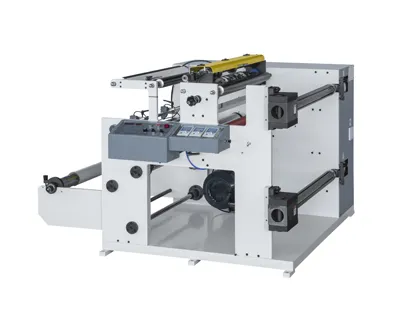
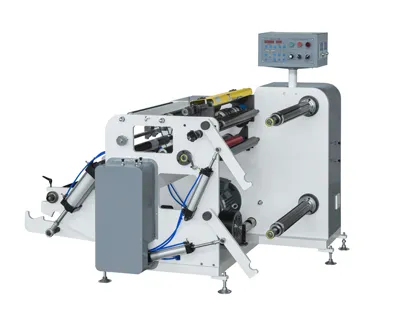
VOREY provides digital printing and finishing equipment for label converters managing short runs, customized orders and multiple SKUs. A suitable workflow may combine printing, embellishment, digital cutting, matrix removal, slitting and rewinding according to the required material, label size and production volume.
Explore VOREY digital label printers, digital label die cutters and digital label printing systems. For a machine recommendation, provide your material, web width, roll diameter, average quantity per SKU, number of daily jobs and required finishing processes.
Need help matching equipment to your short-run label workflow?
Request a Workflow Recommendation

 0574-87476008
 English